Free tool in SAK
Scientific calculator with history
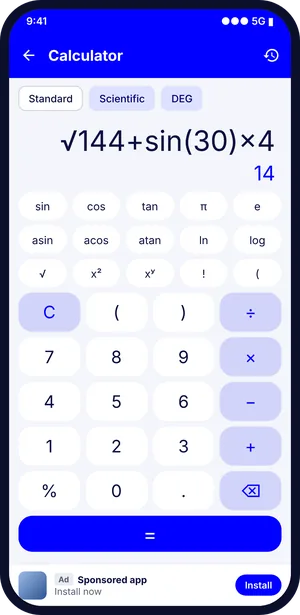
SAK's Calculator switches between a simple standard layout and a full scientific keypad. It shows the answer as you type and keeps a history of your calculations.
What you can do with the Calculator
Live answer preview
See the result update as you type, before you press equals.
Scientific functions
sin, cos, tan and their inverses, ln, log, square roots, powers, factorials, π and e.
Degrees or radians
Switch angle mode with one tap.
Percentages
Calculate percentages quickly with the % key.
History
Review past calculations and tap one to use its result again.
How to use it
- Open Calculator.
- Choose Standard or Scientific.
- Type your calculation. The answer appears as you type, and = saves it to history.
Calculator: common questions
Does it follow the order of operations?
Yes. Multiplication and division are calculated before addition and subtraction, and brackets are supported.
Can I reuse an earlier answer?
Yes. Open History and tap any result to continue calculating with it.
Works great with

Get every tool and AI agent in one free Android app.
Free to download. No account needed. Most features work offline.
Download SAK on Google Play